
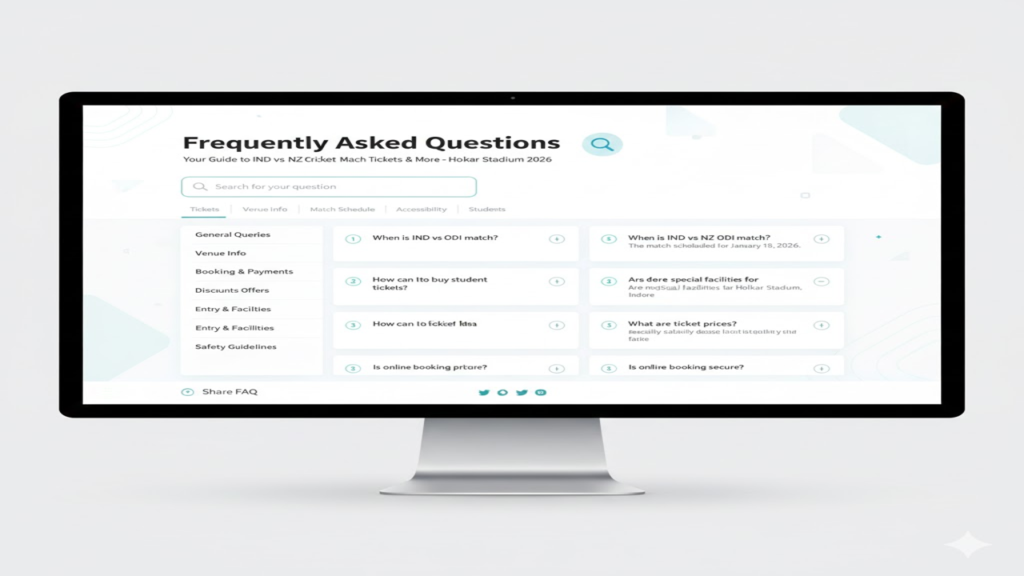
In today’s digital-first world, people don’t like waiting—and that’s exactly why a FAQ page template plays a critical role in modern websites. Users want quick answers, instant clarity, and zero confusion. A well-structured FAQ page template helps businesses deliver exactly that while improving SEO, trust, and user experience.
Think about it—when was the last time you contacted customer support before checking a website’s FAQ page?
Exactly.
Modern users expect instant clarity. They don’t want to scroll endlessly or send emails just to ask a basic question. They want fast, accurate, and easy-to-understand answers. That’s where a well-designed FAQ page becomes a silent hero for your brand.
In this guide, we’ll break down everything you need to know about FAQ pages, explore 18 real-world FAQ templates, and show you how to create one that improves user experience, SEO, and conversions—all in one place.
What Is an FAQ Page Template?
An FAQ (Frequently Asked Questions) page template is a structured section of a website that answers common questions users might have about a product, service, or brand.
Think of it as a self-service help desk that works 24/7.
A well-built FAQ page:
-
Reduces support tickets
-
Builds trust instantly
-
Improves user experience
-
Helps with SEO visibility
Instead of forcing users to contact support, FAQs empower them to find solutions on their own—quickly and confidently.
Why FAQ Page Templates Matter More Than Ever
We live in an age of instant gratification. People don’t want to “wait and see”—they want clarity now.
Research shows that:
-
Over 85% of users rely on websites for product information
-
More than 50% prefer self-service instead of contacting support
A smart FAQ page helps your business:
-
Reduce repetitive customer inquiries
-
Improve customer satisfaction
-
Appear in Google’s “People Also Ask” results
-
Get cited in AI-generated answers
In short, FAQs save time, build trust, and improve conversions.
What Makes a High-Quality FAQ Page Template?
A great FAQ page doesn’t dump information. It guides users smoothly.
Here’s what every effective FAQ page includes:
-
Clear, simple questions
-
Short and precise answers
-
Organized categories
-
Search functionality
-
Links to related content
-
Easy access to customer support
When these elements come together, users feel supported—not overwhelmed.
Types of FAQ Page Templates You Can Use
Different businesses need different FAQ formats. Here are the most effective types:
1. General FAQ Page
Covers common questions about your brand, services, or policies.
2. Product-Specific FAQ
Focused on a single product’s features, usage, or setup.
3. Troubleshooting FAQ
Helps users fix common issues quickly.
4. Customer Support FAQ
Answers billing, shipping, refunds, and account-related queries.
5. Pre-Purchase FAQ
Addresses doubts before a customer buys.
6. Homepage FAQ
Short, high-impact questions placed directly on the homepage.
7. Blog-Based FAQ
Used to support content marketing and SEO.
8. Video FAQ
Uses short clips to explain answers visually.
9. AI-Powered FAQ
Uses chatbots or AI search for real-time responses.
Why FAQ Page Templates Improve User Experience
FAQ pages aren’t just support tools—they’re trust builders.
They:
-
Save time for both users and teams
-
Offer 24/7 availability
-
Reduce frustration
-
Improve brand credibility
When users find answers instantly, they feel confident choosing your brand.
Where Should You Place Your FAQ Page?
Visibility matters. Place FAQs where users expect them:
-
Main website navigation
-
Footer menu
-
Product or service pages
-
Checkout page
-
User dashboard
-
Email footers
-
Social media bio links
Accessibility = better engagement.
18 Best FAQ Page Template Examples That Work
1. AdEspresso
Clean layout, simple language, and direct links to deeper guides. Perfect for beginners.
2. Adobe Creative Cloud
Powerful search, categorized topics, and chatbot support make it user-friendly despite its complexity.
3. Airbnb
Divides FAQs between hosts and guests. Uses visuals and community support to enhance clarity.
4. Airtable
Combines FAQs with tutorials and guides for deeper learning.
5. Ancestry
Personalized FAQs based on user data—highly contextual and relevant.
6. DoggieLawn
Simple layout with live chat support for quick assistance.
7. Etsy
Separate sections for buyers and sellers to avoid confusion.
8. Fabletics
Category-based navigation with expandable answers.
9. Liquid Death
Fun tone, bold visuals, and brand personality infused into FAQs.
10. Mailchimp
Educational and support-driven, with helpful tutorials.
11. McDonald’s
Filter-based FAQ system for fast access.
12. Microsoft
Extensive knowledge base with expandable sections.
13. Nintendo
Product-based categorization for gamers.
14. Upwork
Smart filtering and community-based help options.
15. Vrbo
Separate FAQs for hosts and travelers.
16. Wandering Bear
Simple layout with quick navigation.
17. WhatsApp
Searchable FAQ with security and privacy focus.
18. Wistia
Clean design with embedded support tools.
How to Create a High-Performing FAQ Page (Step-by-Step)
1. Use Real Data
Analyze:
-
Support tickets
-
Chat transcripts
2. Keep It Simple
Avoid long paragraphs. Clear answers win.
3. Make It Mobile-Friendly
Most users browse on phones.
4. Add Search Functionality
Let users find answers instantly.
5. Link to Support
Some users still need human help—make it easy.
6. Update Regularly
FAQs should evolve with your business.
Common FAQ Page Mistakes to Avoid
-
Overloading with text
-
Poor categorization
-
Outdated information
-
No search option
-
Hiding contact details
Avoid these and your FAQ will actually work.
How FAQs Improve SEO
FAQ pages:
-
Target long-tail keywords
-
Increase dwell time
-
Reduce bounce rate
-
Appear in rich results
Search engines love structured answers.
Turning FAQs Into a Conversion Tool
FAQs aren’t just support—they’re persuasion tools.
Use them to:
-
Remove objections
-
Build trust
-
Clarify value
-
Guide decisions
When done right, FAQs quietly sell for you.
Conclusion
An FAQ page is no longer optional—it’s essential.
It supports your users, strengthens your SEO, and reduces friction across your website. Whether you’re a startup or a global brand, a strong FAQ section builds confidence and credibility.
When you invest in clarity, your customers reward you with trust. A great FAQ page doesn’t just answer questions—it anticipates them.
It listens before users even speak.
And when done right, it becomes one of the most powerful tools in your digital ecosystem.