
Images have quietly taken over the internet. From social media feeds and online shopping platforms to news websites and educational resources, visuals now speak louder than words. We scroll, tap, swipe, and judge content within seconds—often based on images alone. That’s why understanding image search techniques is no longer optional; it’s essential.
Whether you’re a student, marketer, designer, journalist, or simply someone curious about the digital world, image search tools can save time, uncover truth, and unlock creativity. In this comprehensive guide, we’ll explore how image search works, the different techniques available, the best tools in the market, and how to use them like a pro.
So, let’s dive in and decode the powerful world of visual discovery.
What Is Image Search and Why Does It Matter?
Image search is a technology that allows users to find images or information about images using either text descriptions or visual input. Instead of typing long queries, you can simply upload a photo, paste a link, or select part of an image—and the system does the rest.
Think about how often you’ve wondered:
-
“Where did this image come from?”
-
“Is this product available online?”
-
“Is this photo real or edited?”
-
“Who is the person in this picture?”
Image search answers all of that—and more.
In today’s digital environment, where misinformation spreads quickly and visual content dominates attention, image search plays a crucial role in verification, discovery, and trust. It bridges the gap between curiosity and clarity.
How Image Search Technology Actually Works
Behind the scenes, image search is powered by advanced technologies like artificial intelligence (AI), machine learning, and computer vision.
When an image is uploaded or scanned, the system breaks it down into digital data points such as:
-
Colors
-
Shapes
-
Edges
-
Patterns
-
Textures
-
Objects
These elements are then compared against billions of indexed images stored in massive databases. The algorithm looks for visual similarities, metadata connections, and contextual clues.
Unlike traditional keyword searches that rely heavily on text, image search relies on visual understanding. This allows it to identify objects, faces, landmarks, and even emotions within a picture.
For example, upload a photo of a historical monument, and the system may instantly tell you its name, location, and historical background. That’s the power of intelligent image recognition.
Types of Image Search Techniques You Should Know
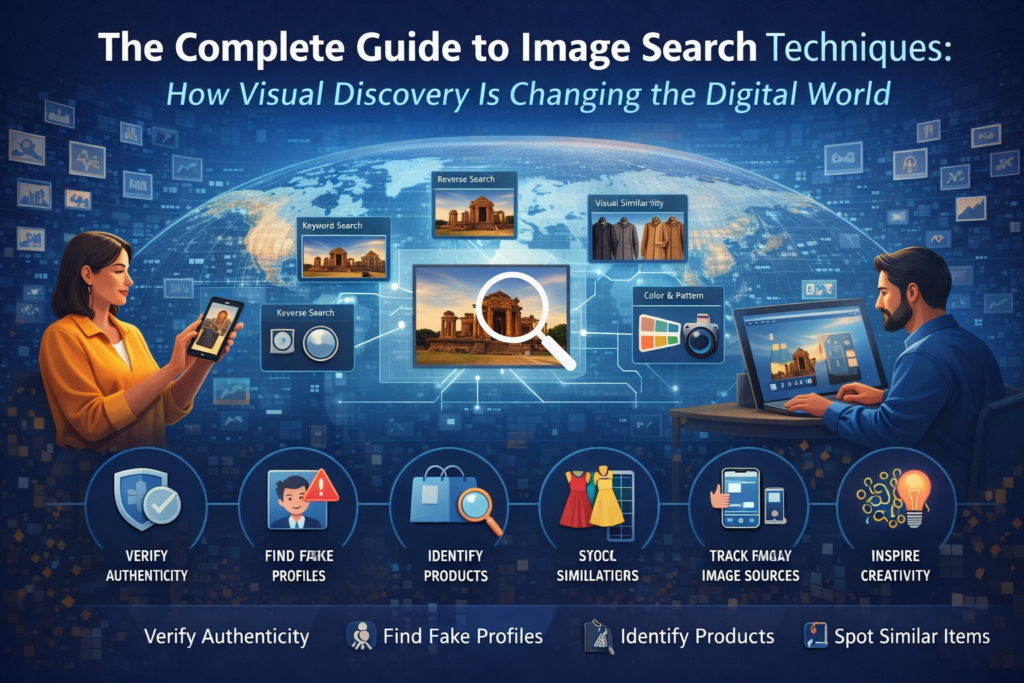
Not all image searches are the same. Different situations require different techniques. Let’s break them down in simple terms image search techniques.
1. Keyword-Based Image Search
This is the most common and beginner-friendly method. You simply type a description—like “sunset over mountains”—and the search engine shows matching images.
It relies heavily on:
-
Image titles
-
Alt text
-
Captions
-
Surrounding webpage content
This method is perfect for:
-
Blog images
-
Educational visuals
-
Stock photos
It’s simple, fast, and effective for general use.
2. Reverse Image Search
Reverse image search flips the process. Instead of typing words, you upload an image or paste its URL.
The tool then searches for:
-
Exact copies
-
Similar visuals
-
Edited versions
-
Original sources
This is incredibly useful for:
-
Verifying image authenticity
-
Detecting fake news
-
Tracking image misuse
-
Finding original creators
If you’ve ever questioned whether an image is real or manipulated, reverse image search is your best friend.
3. Visual Similarity Search
This technique focuses on aesthetics rather than exact matches. It finds images that look similar in style, color, layout, or composition.
It’s widely used in:
-
Fashion and apparel
-
Interior design
-
Art and creative industries
-
E-commerce recommendations
For example, see a chair you love online? Visual similarity search can help you find similar styles across different stores.
4. Color and Pattern-Based Search
This method allows users to filter images by dominant colors or patterns. It’s especially helpful for designers and branding professionals.
Want images that match a brand palette? Or need visuals with specific tones or textures? This search technique makes it easy.
It’s often used in:
-
Graphic design
-
Branding projects
-
Advertising campaigns
-
UI/UX design
5. Object and Facial Recognition
One of the most advanced forms of image search, this technique identifies:
-
Faces
-
Objects
-
Logos
-
Landmarks
-
Text within images
Used widely by:
-
Law enforcement
-
Media agencies
-
Social platforms
-
Security systems
It enables accurate identification and contextual understanding, making searches more intelligent and detailed.
Choosing the Right Image Search Method
Not every task needs the same approach. Choosing the right technique saves time and improves accuracy.
-
Use keyword search for general browsing.
-
Use reverse image search to verify authenticity.
-
Use visual similarity search for creative inspiration.
-
Use color-based search for branding consistency.
-
Use object recognition for identification purposes.
Often, combining two or more methods delivers the best results.
Top Image Search Tools You Should Know
Let’s explore some of the most powerful image search tools available today.
1. Google Images – The All-Rounder
Google Images remains the most widely used platform for both keyword and reverse image searches.
Features include:
-
Image upload
-
URL paste
-
Visual matches
-
Shopping suggestions
-
Related topics
It’s fast, reliable, and perfect for everyday use.
2. Lenso AI – Advanced Face & Image Detection
Lenso AI specializes in high-precision reverse image search. It’s ideal for detecting image reuse, impersonation, or content theft.
Key features:
-
Face recognition
-
Duplicate detection
-
Alerts for new matches
-
Filtering and sorting options
It’s especially useful for journalists, influencers, and cybersecurity professionals.
3. TinEye – The Image Tracker
TinEye is a pioneer in reverse image search. It’s best known for tracking where images appear online—even edited versions.
Great for:
-
Copyright protection
-
Content monitoring
-
Authenticity verification
Its strength lies in detecting even subtle image modifications.
4. Bing Visual Search – Shopping Made Smart
Bing’s visual search excels at identifying products within images. You can select parts of an image and search for similar items instantly.
Perfect for:
-
Online shoppers
-
Product comparisons
-
Visual discovery
5. Pinterest Lens – Creative Inspiration Hub
Pinterest Lens is a goldmine for design inspiration. Simply snap or upload an image and explore related ideas.
Ideal for:
-
Fashion
-
Home décor
-
DIY projects
-
Lifestyle inspiration
6. Yandex Images – Powerful Recognition Engine
Yandex is known for its impressive facial and object recognition accuracy. It often finds matches that others miss.
Great for:
-
Deep verification
-
Facial recognition
-
Landmark identification
7. Shutterstock – Image Protection & Licensing
Shutterstock offers reverse image tracking for licensed content, helping creators protect their work.
Used by:
-
Photographers
-
Brands
-
Agencies
It ensures proper usage and copyright compliance.
Best Practices for Effective Image Searching
To get the most accurate results:
-
Use high-quality images
-
Avoid cropped or blurry photos
-
Be specific with keywords
-
Try multiple platforms
-
Use filters wisely
-
Always check image rights
A little effort upfront can save hours later.
Common Mistakes to Avoid
Many users unknowingly reduce search accuracy by:
-
Using low-resolution images
-
Relying on just one search engine
-
Ignoring copyright details
-
Overloading keywords
-
Skipping advanced filters
Avoiding these mistakes leads to better, cleaner results.
Real-World Applications of Image Search
Image search is used across industries:
Journalism & Media
To verify images and prevent misinformation.
E-Commerce
To help customers find similar products instantly.
Design & Marketing
For inspiration, branding, and consistency.
Education & Research
For visual learning and source verification.
Law Enforcement
For identification and investigation.
Social Media Monitoring
To track reposts, impersonation, and content misuse.
The Future of Image Search
The future of image search is exciting.
AI will soon understand not just objects—but context, emotion, and intent. Imagine pointing your camera at a dish and instantly getting its recipe, calories, and cultural background.
With augmented reality, wearable tech, and smarter algorithms, visual search will become deeply integrated into daily life.
At the same time, ethical concerns like privacy, consent, and data security will play a bigger role in shaping responsible innovation.
Final Thoughts: Why Image Search Matters More Than Ever
Image search has completely transformed how we interact with digital content. It empowers users to verify, discover, create, and connect in ways that were once impossible.
From identifying fake images to finding inspiration, from protecting copyrights to enhancing shopping experiences—image search is now an essential digital skill.
Understanding how it works and how to use it effectively gives you a major advantage in today’s visual-first world. Image search is no longer just a tool—it’s a gateway to smarter digital interaction. As technology evolves, so will the ways we explore and understand visual content. By mastering image search techniques today, you prepare yourself for a future where visuals speak louder than words.
Use it wisely, ethically, and creatively—and let images guide your digital journey.